SMARTYRBX · AI SLAVEMAXXING FOR ROBLOX
BUILD IN ROBLOX.MAKE THE AI WORK.
Put your AI slaves to work in Roblox Studio. Learn the setup, turn your idea into a small playable loop, and test what the AI builds—instead of copying code and hoping it works.
For Roblox beginners and stuck builders—not just people who already know how to code.
Billed as $147 upfront for 3 months.
Full preorder refund available before release.
Pre-order only. Lessons are being recorded; your access starts at course release.
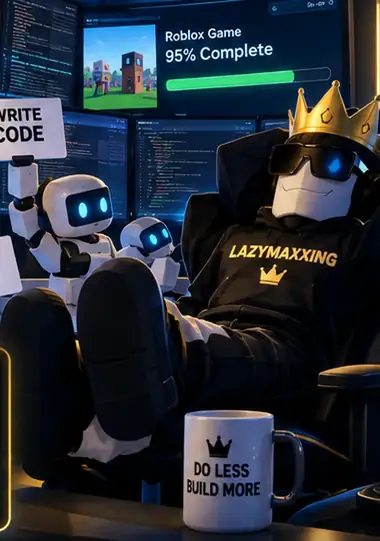
From a prompt to something playable.
Free tutorials can answer a single question. Lazymaxxing is designed to put the whole loop in order: setup, a clear brief, a working build, and a way back when the AI breaks it.
Make the first real edit.
Connect your AI to the right Studio project. Make one useful change and check that it landed where it should.
Give the slaves a finish line.
Turn one game idea into a small build brief: what the player does, what they earn, and what can wait.
Test. Fix. Keep the progress.
Play the loop, show the AI what broke, and keep a working checkpoint before handing it the next job.
See an order your AI slaves can actually finish.
Example task brief: one playable loop, one testable finish line.
In my existing Roblox project, build one loop: pick up a coin, update the player’s coin counter, and let the player spend those coins on one upgrade. Keep rewards and spending checked on the server. Do not add pets, trading or another currency. Show me what changed and give me the steps to test it.
Your finish check: collect the coin, buy the upgrade, confirm the balance is correct, and try buying without enough coins. Fix that path before adding the next feature.
What you’ll learn.
Planned coverage. Lessons are being recorded. Tap a topic for the details.
Skip the setup fightYour AI, connected to Studio.
Follow the Mac or Windows setup and make your first working change. Learn the guided path with MCP Board Lite, plus what to check when a connection fails. Lite is planned with the course subscription at launch.
Start with a gameOne playable loop. A clear finish line.
Turn an idea into a small first version: what the player does, what happens next, and what can wait. Give the AI a plan before it fills your game with features you never needed.
Pick AI you can affordFree and paid routes. Less waste.
Choose models and subscriptions around your budget and the job. Use stronger settings where they help, avoid wasted context, and know when to stop an unproductive session. Third-party AI usage is separate from the course price.
Direct the AI slavesBetter instructions. Less babysitting.
Turn your spoken or written idea into a useful task. Give the AI the right project context, check that it is working in the right game, and carry the important decisions into the next session.
Keep your progressAdd features without starting over.
Connect systems such as shops, saving, and progression. Keep a working checkpoint, recover a bad change, and add to an existing game without inviting an unnecessary rewrite.
Test it like a playerWorking means usable in the game.
Use playtests and screenshots to show what needs fixing. Check saves and the actual player flow, then let someone try the game without coaching them. Catch the confusing button or broken step before calling the feature finished.
LAZYMAXXING COURSE / ENROLLMENT
Lock in $49/month.
Get the setup-to-playtest workflow at the early rate: connect your tools, direct a small build, and fix what breaks. Your first three months start at release, not today.
The workflow you’re buying
- Guided Mac + Windows setup—and what to check when the connection fails.
- A small playable-loop plan, with useful jobs for your AI instead of one giant prompt.
- Playtesting, checkpoints, recovery and choosing AI tools around your budget.
Billed as $147 upfront for 3 months.
Full preorder refund available before release.
Next: review your order and sign in, then pay securely with Stripe.
Pre-order only. Lessons are being recorded. We will email buyers when the course is released. Your first three months start at release, not today.
for your first 3 months
Billed as $147 upfront for 3 months.
Then $79/month until canceled. Your three prepaid months start at course release. No monthly course charges while you wait.
Compared with the $79/month regular launch rate. The early rate is introductory, not lifetime.
MCP Board Lite is planned with course membership at launch. Learn the setup and use it on your own Roblox projects.
AI subscriptions and usage costs are separate.
What happens after you pre-order?
- Reserve the early rate.
Sign in with your email and complete the Stripe checkout. Your preorder is linked to that account.
- Wait without monthly charges.
We email you when the course releases. No monthly course payments run while the lessons are being recorded.
- Start your full three months.
Your access clock starts at release. Then $79/month until canceled; you can turn off renewal beforehand.
Before you put the slaves to work.
When do I get access?
Pre-order only. Lessons are being recorded. We will email buyers when the course is released. Your first three months start at release, not today. A release date has not been announced. You receive the full three prepaid months from release, not from the day you pay.
Is it really $49/month? What happens after three months?
The early rate is $49/month equivalent, billed as $147 upfront for the first three months. Then $79/month until canceled. Your three prepaid months start at course release. No monthly course charges while you wait.
Do I need to know how to script?
You do not need years of scripting experience. You need a Mac or Windows computer that can run Roblox Studio, a small game idea, and a willingness to playtest. The course is designed to teach you to direct and check the AI—not type every line yourself.
Does this include the app and my AI usage?
MCP Board Lite is planned with course membership at launch, subject to launch readiness. AI subscriptions and usage costs are separate. Free and paid AI routes are covered so you can choose a setup around your budget; buying the course is not buying unlimited AI credits.
Why buy the course instead of watching free tutorials?
Free tutorials can answer a single question. Lazymaxxing is designed to put the whole loop in order: setup, a clear brief, a working build, and a way back when the AI breaks it. Follow the planned lessons as a connected process instead of piecing the next step together yourself. Course access continues while your membership is active.
Is this included in the Blueprint or Scripting Secrets?
No. Lazymaxxing is a separate paid course for the AI workflow. It uses the same SmartyRBX account, but owning the Blueprint or Scripting Secrets does not include this membership. No additional Scripting Secrets discount is active for this preorder.
What if I change my mind before release?
Before the course releases, you can request a full preorder refund by emailing smarty@smartyrbx.com from your purchase address. Refunds cancel the preorder and future renewal. After release, the site's refund policy applies. See preorder and refund terms
Does AI make the whole game for me?
The course teaches the AI setup and a repeatable way to finish the technical work. It does not guarantee players, revenue, or great visuals. You still decide what is worth building and how to bring it to players.